VEED Review 2026: Pricing, Features, and How to Get It (or a Cheaper Alternative)
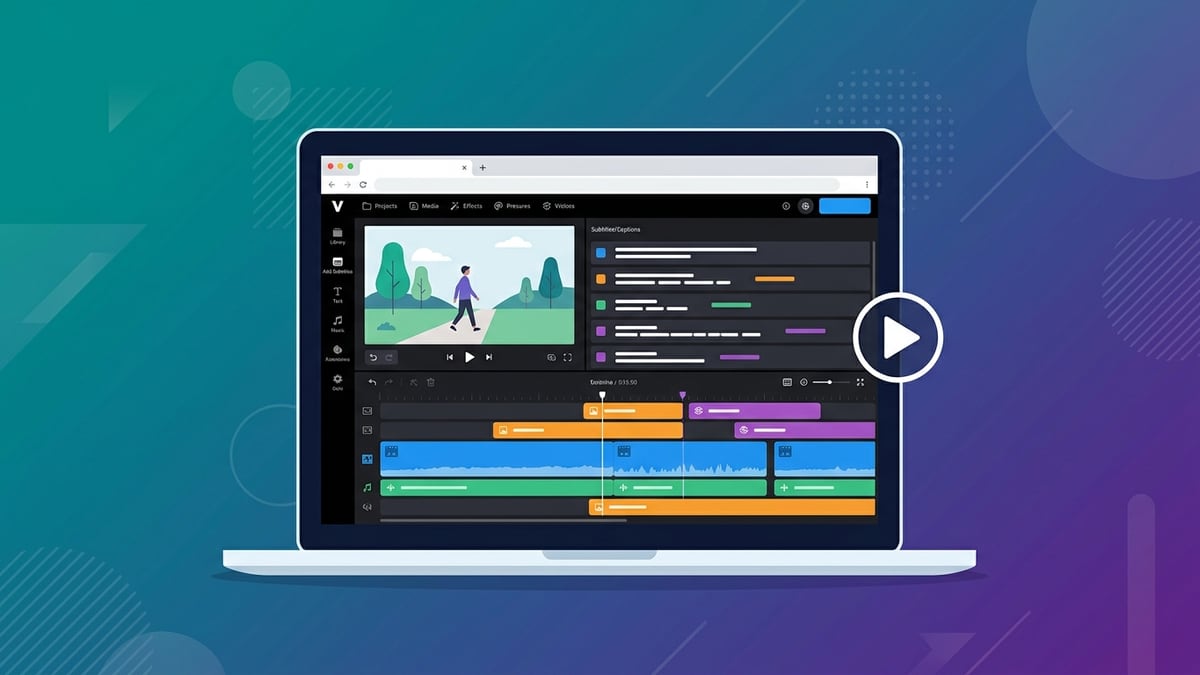
VEED is a browser-based video editor built for people who don't want to learn Premiere. You upload a clip, and it auto-generates subtitles, cleans up audio, translates, adds a talking-head layout, and exports — all in a tab, no install. That "no skill required" pitch is why it keeps coming up whenever someone asks what the easiest way is to turn a raw phone recording or screen capture into something postable, and why it shows up alongside CapCut and Captions AI in the same "easiest video editor" conversations.
GroupbuySEO runs a tool-bundle service, so read the rest of this knowing that. VEED isn't in our catalogue and we don't have a snapshot of its current pricing to quote from, so every VEED price mentioned here links to VEED's own pricing page instead of repeating a remembered number. Every other figure in this review — what the bundle tools cost direct, and what they cost through GroupbuySEO — carries its source and the date it was checked, rather than a rounded number typed from memory.
This isn't a takedown of VEED. It's a genuinely useful editor for the job it's built for, and plenty of people should keep paying for it — the point of this review is narrower: work out exactly which job you actually need done, then check whether a tool GroupbuySEO carries already does that job for less, before assuming VEED is the only door into that workflow.
Quick verdict
- VEED's own pricing page is the only place to check its current plan cost — GroupbuySEO does not carry VEED, so this review does not quote a number for it. See veed.io/pricing for the live tiers.
- The same job — auto-captions, AI audio clean-up, and social-ready exports — comes from a tool GroupbuySEO does carry: CapCut, direct plans compared against ours below.
- Through GroupbuySEO, CapCut starts at $5/month standalone, or comes bundled with 85 other tools in the $49/month Ultimate Plan (GroupbuySEO catalogue, synced August 2026).
What VEED actually does
- Auto-subtitles and translation — transcribes your video and burns in styled captions, in dozens of languages. This is the feature most people arrive for, and it's the one that gets shared the most in "how did you make that" comments. The styling options (font, highlight colour, position, animation) go well beyond a plain subtitle bar.
- AI clean-up — background noise removal, filler-word cutting, eye-contact correction, and a "clean audio" one-click that fixes the two most common reasons a clip sounds amateur: room echo and an inconsistent voice level.
- Talking-head and screen recording — record webcam plus screen, then edit both tracks in the same timeline, useful for tutorials and software walkthroughs where you're narrating over your own screen.
- Templates and brand kit — social-ready templates sized per platform, with your fonts and colours saved so every export matches, which matters most for a team publishing several clips a week under one brand.
It overlaps heavily with CapCut (the same auto-caption, template, AI-clean workflow) and, on the AI-avatar side, with Captions AI and dedicated avatar tools like HeyGen — we cover that comparison separately in our HeyGen review if talking-head avatars, not editing an existing recording, are what you're actually after. The two jobs get confused constantly: VEED edits footage you already shot, while an avatar tool generates a presenter from a script with no camera involved at all.
How you'd actually use it
A typical VEED session, whether you're on VEED itself or the cheaper route below, looks roughly like this:
1. Upload the raw clip. Screen recording, phone footage, a Zoom call — doesn't matter, it goes into the timeline as-is.
2. Run auto-captions first. This is almost always step one because it also gives you a rough transcript to work from when you trim.
3. Cut filler words and dead air. Either the AI does a first pass automatically or you scrub the transcript and delete the awkward parts by hand.
4. Apply a template and brand kit so the export is sized and styled for the platform you're posting to (vertical for Reels/TikTok, wide for YouTube).
5. Export and check captions on mute — most people watch social video with the sound off first, so this is the step that actually matters for retention.
That workflow is the same whether the underlying tool is VEED or CapCut — the steps don't change, only the subscription price does. If your workflow leans more toward a scripted presenter than an edited clip, the steps look different again; that's the HeyGen-style avatar path, not this one.
What VEED costs directly
GroupbuySEO's catalogue does not include a VEED listing, so there is no sourced vendor-pricing entry to build a table from here, and this review was written without fetching VEED's site live today. Rather than repeat a remembered figure that can't be checked against a source, go straight to veed.io/pricing for the current tiers — VEED publishes several paid levels above a limited free tier that watermarks exports and caps clip length, which is what pushes most people toward a paid plan in the first place.
Feature-by-feature: VEED vs. the bundle
| Job | VEED | Bundle option |
|---|---|---|
| Auto-captions & translation | Built in | CapCut |
| AI audio clean-up | Built in | CapCut |
| AI talking-head presenter | Not VEED's focus | Captions AI |
| Voice cloning / dubbing | Limited translate feature | ElevenLabs |
| Brand kit + templates | Built in | CapCut templates, or Canva for static brand assets |
Where the bundle's own vendors do publish numbers, here's what each costs bought direct, unrelated to GroupbuySEO pricing: Captions AI runs $24.99/mo (Max) up to $279.99/mo (Scale 4x) on captions.ai/pricing, checked September 2026, and ElevenLabs runs $6/mo (Starter) up to $990/mo (Business) on elevenlabs.io/pricing, also checked September 2026. CapCut's own site doesn't publish a comparable plan-tier price list the way those two do, which is part of why this review leans on GroupbuySEO's own catalogue price for it instead.
Who VEED is for (and who isn't)
VEED fits best if you're already living inside a browser tab for everything — no desktop app to install, project autosaves to the cloud, and a reviewer can open the same link you're editing in without a file transfer. That makes it a reasonable pick for a distributed team doing quick social clips, or someone editing from a Chromebook or a work laptop with no admin rights to install software. It's also a fine fit for a solo creator who wants one tool that does captions, cleanup and export without stitching together three separate apps.
It's a weaker fit if you need offline editing, tight integration with a phone's camera roll on the go (CapCut's mobile app is the stronger option there for editing straight from a phone between takes), or you specifically need an AI presenter who can deliver a script without you ever being on camera — VEED's talking-head layout still needs you to actually record yourself; it doesn't generate a presenter from text the way Captions AI or HeyGen do. It's also a weaker fit budget-wise for anyone who only needs one or two of VEED's features rather than the whole editor, since a single-purpose tool bought standalone is usually cheaper than a full editing suite's Pro tier.
Team size matters here too. A solo creator publishing a couple of clips a week rarely needs more than the caption-and-clean-up loop, which is the part CapCut covers directly. A team running client review cycles, multiple brand kits, and several editors working the same project at once is exactly the case where an established VEED workflow is worth keeping — the switching cost of losing that shared setup usually exceeds a few months of subscription savings.
What you get through GroupbuySEO
Here's the honest part. If what you want from VEED is auto-captions, AI clean-up and social video export, CapCut does the same job. Through GroupbuySEO, CapCut is $5/month standalone (GroupbuySEO catalogue, synced August 2026) — or it comes bundled with 85 other tools, including Captions AI and ElevenLabs, in the $49/month Ultimate Plan (88 tools total, same source).
If you specifically need VEED's talking-head layout done properly — an AI presenter, eye-contact correction, edit-by-transcript — pair CapCut with Captions AI, $25/month standalone through GroupbuySEO. For voice cloning or dubbing beyond what VEED's translate feature offers, add ElevenLabs, $5/month standalone through GroupbuySEO. If the brand-kit side matters more than the video side — logos, colour palettes, static templates alongside the video ones — Canva is $5/month standalone through GroupbuySEO too (all four prices: GroupbuySEO catalogue, synced August 2026).
ElevenLabs and Canva are also included in the $30/month Advanced Plan (25 tools); CapCut and Captions AI are Ultimate-only (GroupbuySEO catalogue, synced August 2026) — so which plan makes sense depends on whether editing or the AI-avatar side is what you actually need. Either way, each of these is a personal login through your own my.groupbuyseo.org dashboard, not a shared username and password, activation lands the moment payment confirms, and you can cancel any month with no contract. Support and monitoring run continuously, so if a tool goes down you'll usually see it flagged on the status page before you hit it yourself. See the full lineup on the pricing page.
What this route is not: it isn't your own private CapCut, Captions AI or ElevenLabs subscription with your own billing relationship to that vendor. It's shared access to a paid account, provisioned to your own login, under published fair-use limits — the trade that makes the price difference possible in the first place. If you need a subscription that's entirely and only yours, buying VEED, CapCut or the others direct is the more conventional route; this is the option for people who've decided the shared-access trade is worth the savings.
Alternatives worth knowing about
- CapCut — the closest direct match to VEED's core editing loop (captions, AI clean-up, templates, exports), and the one this review is built around. See the CapCut page.
- Captions AI — the better pick if the talking-head / AI-presenter side is what actually matters to you, since it generates a presenter from a script rather than requiring you to film yourself. See the Captions AI page.
- ElevenLabs — the better pick if voice quality, cloning or multi-language dubbing is the bottleneck rather than the visual edit. See the ElevenLabs page. For a fuller AI-avatar comparison against a dedicated presenter tool, our HeyGen review covers that ground in more depth than this VEED-focused piece does.
Common mistakes people make comparing these tools
The biggest one is comparing raw feature lists instead of the actual job. VEED and CapCut both "have captions," but people get tripped up expecting an identical UI — they're not the same editor, just the same category of output, and muscle memory from one doesn't transfer perfectly to the other on day one. The second mistake is judging caption accuracy from a single short clip; run a longer, noisier sample (background music, accents, cross-talk) before deciding one tool is "more accurate" than the other, since accuracy on a clean 15-second demo tells you very little about a messy 10-minute interview.
The third is forgetting that export quality on any of these tools depends partly on your source footage — no auto-clean feature fixes a badly lit, badly mic'd original, no matter how good the AI is. Good audio in particular does more for perceived quality than a sharper picture; if you only fix one thing before editing, fix the mic setup, not the lighting.
The fourth, specific to switching tools to save money, is doing it mid-project: moving a half-finished edit between editors usually costs more time re-templating than it saves in subscription price that month. The fifth is treating "cheaper" as the only variable that matters — a tool that's $10 less a month but costs you an extra hour re-learning where every button lives isn't actually the cheaper option once your time is priced in. Weigh the switch against a real project, not a hypothetical one.
How to buy through GroupbuySEO
1. Pick what you actually need. Just the editing and captions side, get CapCut standalone at $5/month; want the AI-presenter and voice side too, check the Ultimate Plan on the pricing page for all four tools together at $49/month (GroupbuySEO catalogue, synced August 2026).
2. Complete checkout with the plan or standalone tool you selected — access provisions to your own login, not a shared account credential you have to guess at or wait for someone else to hand over.
3. Log in and start editing. Run auto-captions first, cut filler and dead air, apply a template sized for where you're posting, and check the export on mute before you publish — the same workflow steps outlined above, just on the tool you actually picked. If you're coming straight from a VEED project, expect the timeline and effects panel to be laid out differently even though the end result is the same; budget your first session for getting oriented rather than hitting your usual pace.
FAQ
Should you pay for VEED?
If you live inside VEED's exact interface and love it, pay for it — it's a good tool, and switching mid-project rarely pays for itself once you count the re-templating time. If you mostly want the outcome — captioned, clean, social-ready video — for less, the CapCut-led bundle through GroupbuySEO gets you there for a fraction of what VEED lists at veed.io/pricing, with three more tools thrown in.
Does GroupbuySEO sell VEED itself?
No — as of this writing VEED isn't an active listing in our catalogue, so we're not selling VEED access directly. We're pointing you to CapCut because it covers the same job, not because it's a rebadged version of VEED.
Will auto-captions ever be 100% accurate?
Not reliably, on either tool. Expect to spend a couple of minutes per video correcting names, jargon, and mumbled words regardless of which editor generated the transcript — that review pass is part of the workflow, not a sign something's broken.
Is shared or group-buy access to CapCut against the rules?
Managed access with a personal login per user is a different model from a single password handed around a crowd. Through GroupbuySEO you get your own my.groupbuyseo.org login, not a shared credential — see the notes on the CapCut page for exactly what's shared (a paid account) versus what's yours (the login and your session).
How much cheaper is the GroupbuySEO route than paying for VEED directly?
It depends on which VEED tier you'd otherwise need — check the live number at veed.io/pricing, since we don't have a sourced figure to compare against directly. What's directly comparable: Captions AI and ElevenLabs cost $24.99–$279.99/mo and $6–$990/mo respectively bought direct (captions.ai/pricing and elevenlabs.io/pricing, both checked September 2026), versus $25/month and $5/month standalone through GroupbuySEO (GroupbuySEO catalogue, synced August 2026) — and CapCut, the closest VEED match, is $5/month standalone through us.
Can I get just CapCut without the other tools?
Yes — CapCut is sold standalone through GroupbuySEO for $5/month, not only inside a bundle (GroupbuySEO catalogue, synced August 2026). Add Captions AI or ElevenLabs later if you find you need the avatar or voice side; you're not locked into the Ultimate Plan just to get the editor.
What if I need VEED's team review and approval workflow specifically?
That's the case where switching makes the least sense right now. If your team's whole review process — comments, approvals, shared brand kits — is already built around VEED's collaboration features, ripping that out to save money mid-project is a bad trade; the migration cost eats the savings faster than the subscription difference earns it back. Switch tools between projects, not in the middle of one.
Does the GroupbuySEO version of CapCut include the AI tools, or just the editor?
The AI tools too — auto captions in more languages and styles, background removal, video upscaling, noise reduction and AI-generated avatars are part of CapCut Pro, which is what the $5/month GroupbuySEO access provisions (GroupbuySEO catalogue, synced August 2026), not a stripped-down free-tier account. It's the same paid tier VEED users would be switching to get, just through a shared-access login instead of your own direct CapCut billing.